
IPT Dynamic
An interactive timeline that lives on the slide. Point at a bar to change its dates, drag between bars to link them, and add tasks or milestones with a click. Full screen and slide show hide every control.
Add-ins for Microsoft PowerPoint
Build a Gantt chart on your slide in minutes. Drag a bar and the dates follow; link two tasks and the critical path updates. Your plan stays inside your presentation.
Windows, Mac and PowerPoint on the web · Free for plans of up to 10 tasks
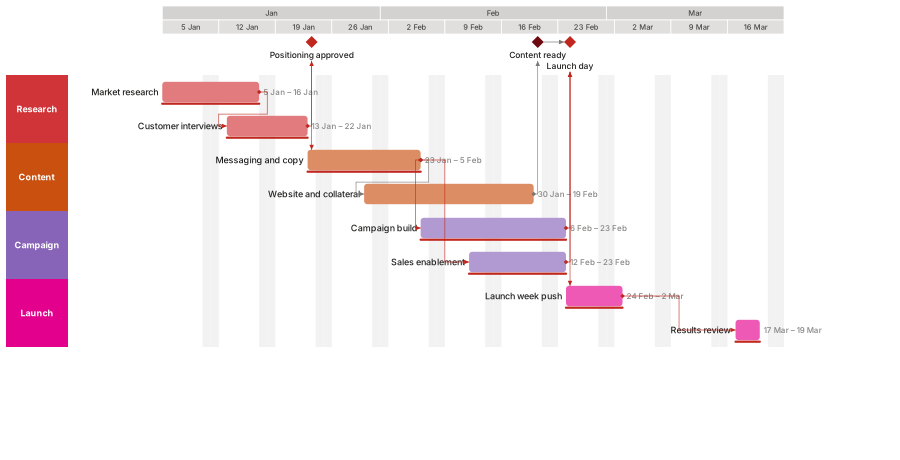
An interactive timeline that lives on the slide. Point at a bar to change its dates, drag between bars to link them, and add tasks or milestones with a click. Full screen and slide show hide every control.

The same plan drawn as ordinary PowerPoint shapes, with a task pane and an IPT Legacy ribbon tab. The chart prints, exports to PDF and opens on any computer, with or without the add-in.
Both read the same plan, so you can switch a slide between them at any time.
Features
Durations, working days, holidays and constraints. IPT calculates start and finish dates, float and the critical path for you.
Move a bar, stretch it, or drag the % triangle. The schedule absorbs the change and shows what moved.
Finish-to-start, start-to-start, finish-to-finish and start-to-finish, with lag or lead. Draw a link by dragging between bars.
See the chain of tasks with no slack, highlighted on the chart, so you know which dates really matter.
Organise work by team or phase, nest tasks under summaries, and collapse what you don't need to show.
Key dates, target dates, periods and a today marker, placed where your audience will look for them.
Start from launch, release, roadmap, construction, sprint and other plans, then make them your own.
Paste rows straight from a spreadsheet, or load a CSV file with column matching.
Themes, bar shapes and finishes, label placement and up to three timescale rows, to match your deck.
How it works
On the IPT ribbon tab choose New plan, or pick a template. A chart appears on its own slide.
Click + to add tasks and milestones; drag between bars to link them. Dates and the critical path update as you go.
Go full screen or start your slide show: the controls disappear and the timeline is all your audience sees.
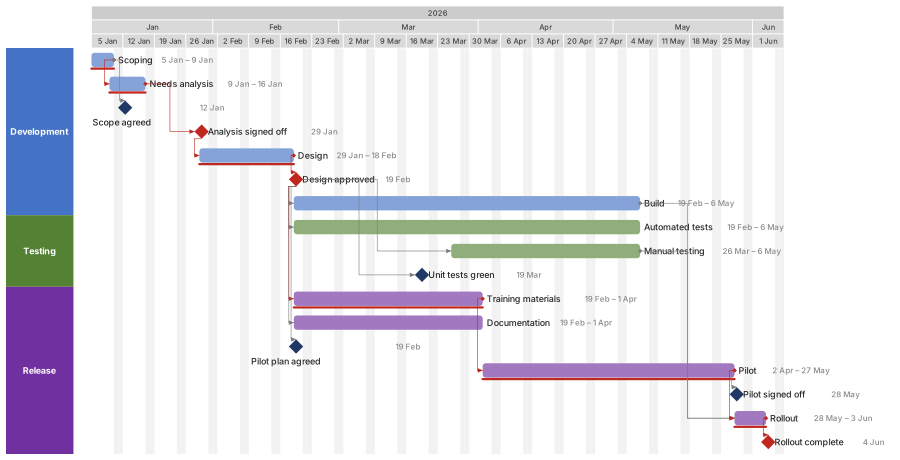
Runs in PowerPoint on Windows, Mac and the web, from one add-in. No separate app to install.
Tasks, dates and notes are stored inside the presentation. There is no account to create and nothing is synced to a cloud.
Convert any timeline to native PowerPoint shapes: colleagues without IPT can still open, present and print it.
Pricing
$0 forever
Coming soon
$69 per user / year
Coming soon
$129 per user / year
Paid plans are not on sale yet. Prices may change before launch, and local taxes may apply.
FAQ
IPT Dynamic is an interactive chart on the slide that you edit by pointing and dragging. IPT Legacy draws the same plan as ordinary PowerPoint shapes, with a task pane for editing. They share one plan, and you can switch a slide between them.
Inside the presentation, on the slide it belongs to. It is not sent to us or to anyone else. See the privacy policy.
Everything, including the scheduler, links and critical path, for charts of up to 10 tasks. There is no time limit.
Yes. IPT runs in PowerPoint on Windows, Mac and the web.
Yes. Convert the chart to PowerPoint shapes and anyone can open, present and print it.
IPT returns to the free version. Your charts are never deleted or locked.
IPT is being prepared for Microsoft Marketplace. Until it is listed, contact us for early access.
IPT is on its way to Microsoft Marketplace (AppSource). Once it is listed you will install it from PowerPoint: Home → Add-ins, then search for “Innovations Project Timeline”.
Want to try it sooner? We are inviting a small group of early users.
Request early access